














No proof folders in email
Every revision lives on the quote. Nobody has to ask which file is the final one.
Sell + approve
 How it worksFollow one job from lead to paid
Product
Shops
Resources
Proofs + work orders
Send a proof link, let the customer approve it, and the approval lands on the sales order and work order your crew runs from. No digging through email for the final art.
14 days of The Full Run free. No credit card.

Approvals happen on a link, not in a reply-all thread. Art and revisions stay on the job, so production works from the version the customer actually approved.
Every revision lives on the quote. Nobody has to ask which file is the final one.

Attach tasks, production controls, packaging steps and notes to the sales order the floor runs from.

Packaging, labels and tracking stay with the order when the job goes out the door.

Use case 01
The customer requests a change on the proof link. The revision stays on the quote instead of a forwarded email.

Use case 02
Approved quantities carry to the sales order, so the work order matches what the customer signed off on.

Use case 03
Dimensions, materials and install notes ride on the work order instead of a sticky note on the monitor.

Use case 04
Tasks on the work order answer it, so your crew doesn’t have to stop you to ask.
Attach the art to the quote. Proof uploads work on the free Short Run plan too.
The customer reviews it on their phone or computer and approves or asks for changes.
The approved quote becomes a sales order with line items, pricing and decoration intact.
Tasks, production controls and notes guide the floor through to packing and shipping.
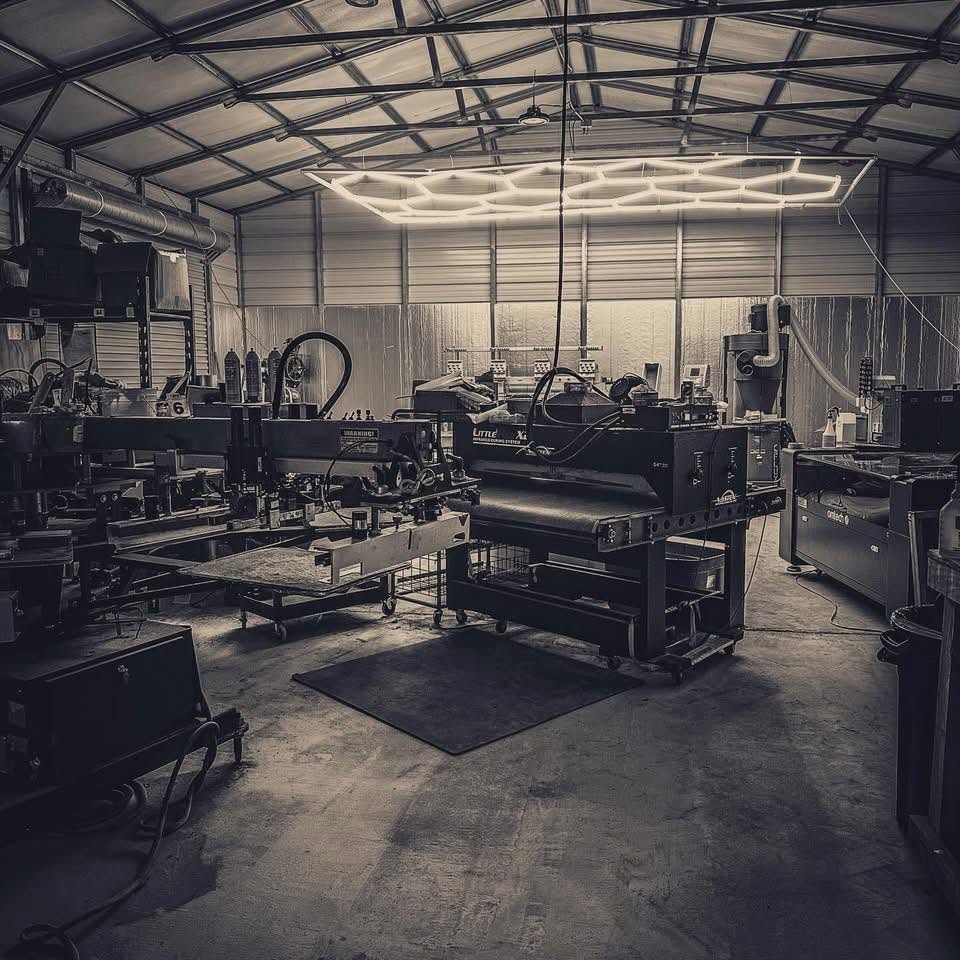
Built inside a working print shop. OBPrint came out of Bigfoot Designs, and we still run the shop on it every day. Read the story
Straight answers. If yours isn’t here, book a 30-minute demo.
No. They approve from the proof link you send.
The approval syncs to the sales order and work order, so production works from the approved version.
Customer portals, including custom domains, are part of The Full Run.
The Production tab is part of The Full Run. Short Run includes quotes and proof uploads.
Start with the next real job through the door. Short Run is free, and The Full Run is free for 14 days.
No credit card required for the Full Run trial.